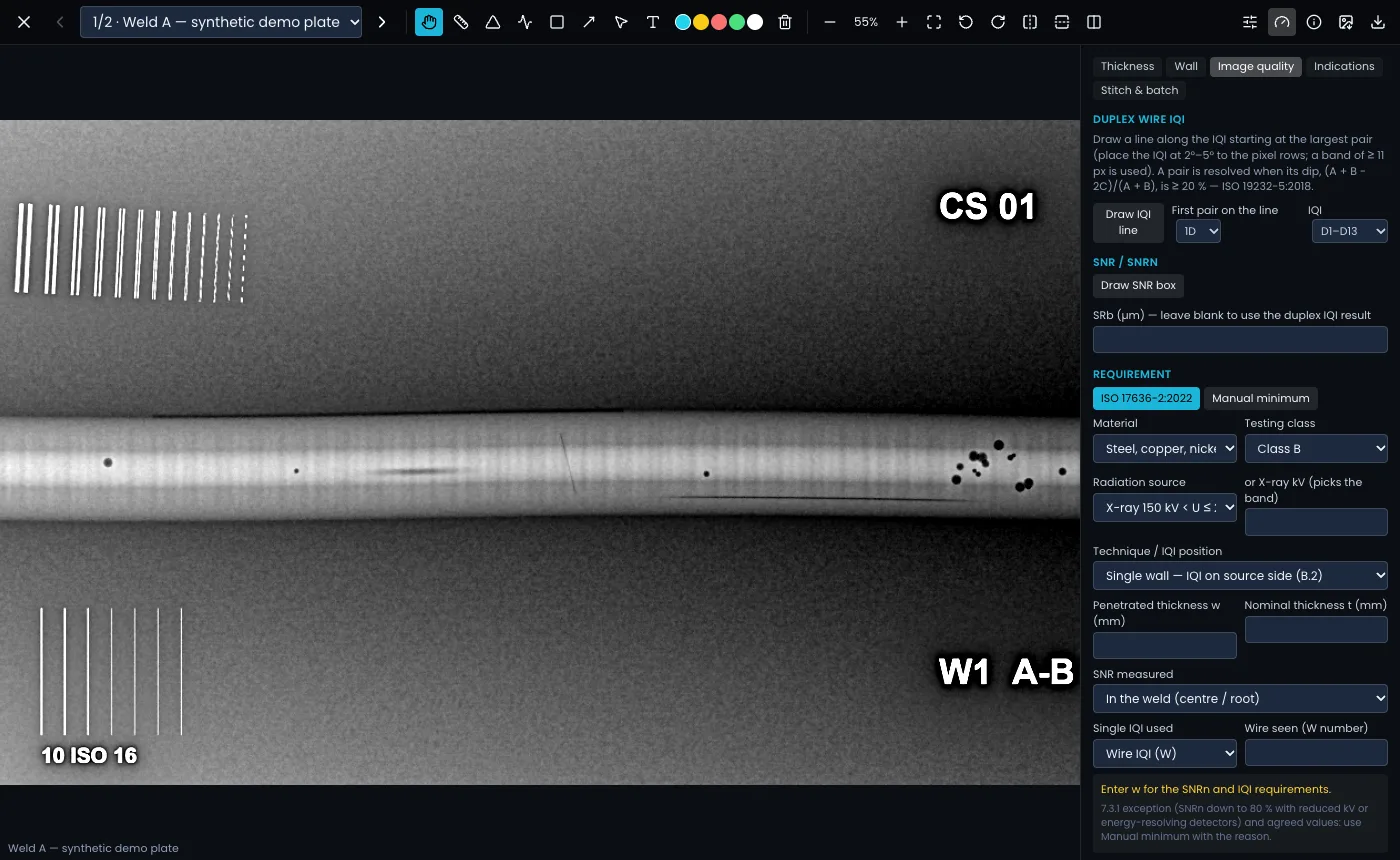
Duplex wire IQI
- Open Measure and the Image quality tab.
- Choose Draw IQI line and draw it along the duplex IQI, starting at the largest pair. Place the IQI at 2°–5° to the pixel rows; a band at least 11 px wide is averaged.
- Set the First pair on the line and the IQI type (D1–D13, HR to D15 or HR to D18).
- Clearshot applies the ISO 19232-5 20 % dip rule and shows the pairs resolved, the first unresolved pair and the basic spatial resolution SRb.
SNR and SNRn
- Choose Draw SNR box and draw it on even base material. About 20 × 55 px or larger is typical; the panel warns if the box is too small.
- SNRn is normalised with SRb. Enter SRb (µm), or leave it blank to use the duplex IQI result.
The requirement
Fill in Material, Testing class, Radiation source (or X-ray kV, which picks the band), Technique / IQI position, Double image (DWDI) if it applies (unticked means DWSI), the Penetrated thickness w and, where the table needs it, the Nominal thickness t. Under SNR measured, say where your SNR box is: in the weld, beside the weld in the HAZ or parent material (the × 1.4 factor applies), or beside the weld with cap and root flush (no factor). Clearshot looks up the minimum SNRn and the duplex pair to reach, and cites the ISO 17636-2:2022 table it used. You can also record a single-wire (W) or step/hole (H) reading.
Values are prefilled from the report where possible; check them before relying on the result.
Agreed values and exceptions
For the 7.3.1 exception (SNRn down to 80 % with reduced kV or energy-resolving detectors), or a client’s agreed values, use Manual minimum: enter the minimum SNRn and duplex pair, the source (for example "client spec XYZ rev 2") and the reason for not using the ISO tables. The reason is recorded with the result.
The check supports the interpreter. It does not certify the image. You still need your own copy of the standards you work to.