- The client opens the link. The page shows your company’s name, logo and colour.
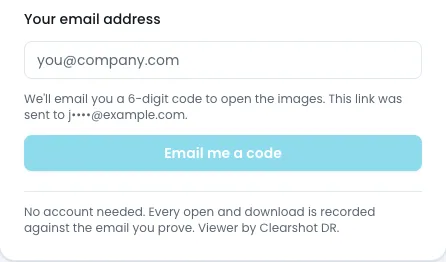
- If the email code is on, they enter their email address and choose Email me a code.
- They type the 6-digit code from the email and choose Open the images. The code expires in 10 minutes and works once. Send a new code and Use a different email are there if needed.
- They see the job’s images and can open each one in the same viewer you use, read-only: zoom, filters, presets, measuring and line profiles.
- If downloads are allowed, they can download the originals and the PDF, and export processed images. Exports always carry the "Processed view — not the original" footer.
- Once their code is accepted, they stay signed in to that link for 12 hours on that device.
- After 5 wrong codes that code stops working and they must ask for a new one. Requests are rate-limited.
- Nothing they do changes your images or results.
If the code email does not arrive within a minute or two, ask them to check their junk or spam folder.