Clearshot stores every upload byte for byte as it arrived. Filters, presets, measurements and annotations are worked out on screen; they never change the stored file.
SHA-256 fingerprint
When a file is uploaded, Clearshot calculates its SHA-256, a 64-character fingerprint. Any change to the file, however small, gives a completely different fingerprint. The value is shown in the viewer’s image information panel (the ⓘ button), is written into exports, and lets you or your client prove a downloaded original is the one that was uploaded.
The image information panel
Choose ⓘ in the viewer to see what the file says about itself, including:
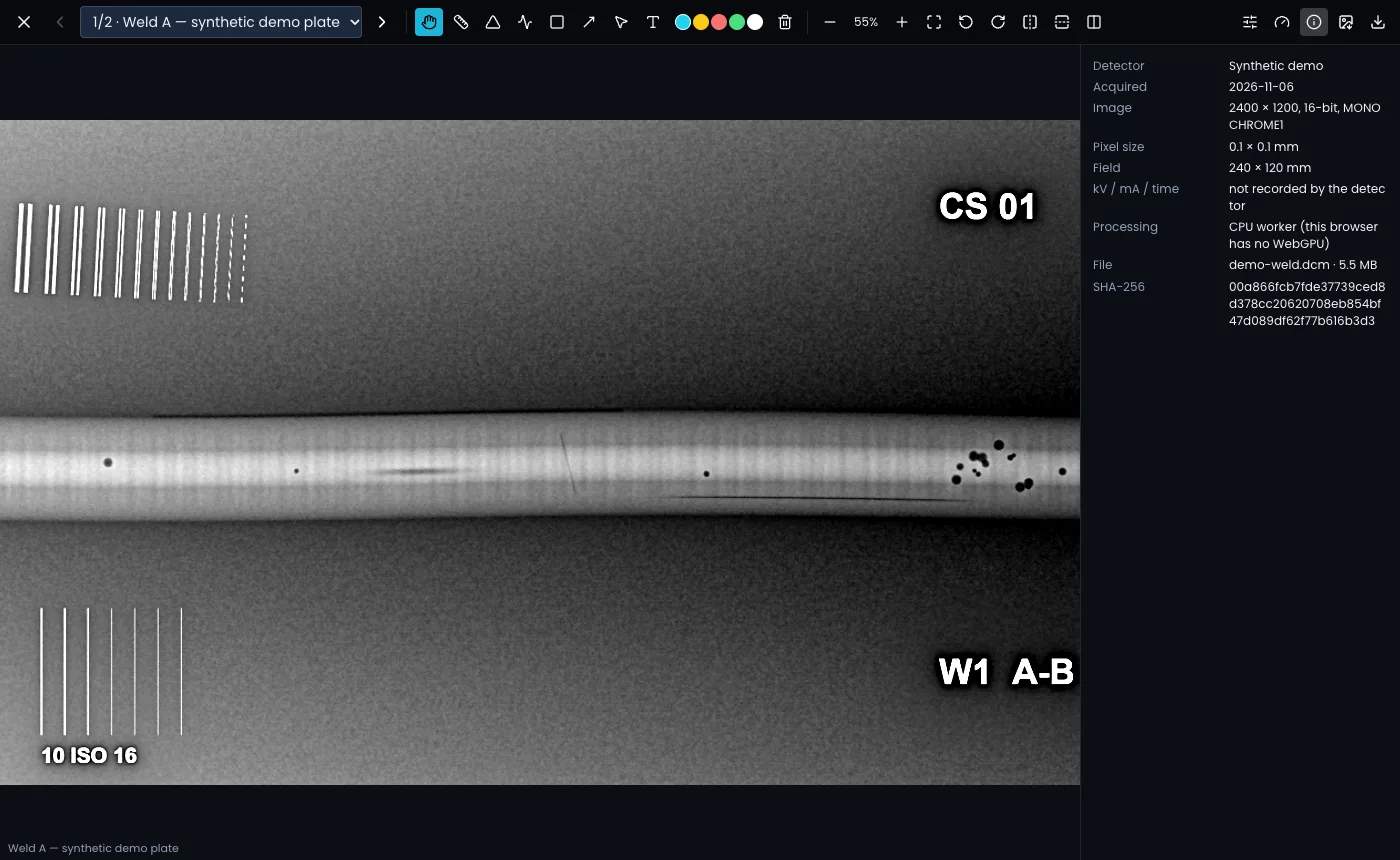
- image size, bit depth and photometric interpretation
- Stored as: the compression used, and whether it is lossless
- Pixel size and the field size in millimetres (when the file has pixel spacing)
- frame integration, the file name and size, and the SHA-256
- which processor is doing the heavy filtering (WebGPU and the graphics adapter, or the CPU)
If the detector was calibrated after the image was taken, the panel says "This image was taken before the detector’s latest calibration."
Lossy compressed original
Some panel software saves images with lossy compression (for example JPEG Baseline, near-lossless JPEG-LS or lossy JPEG 2000). Those files still open, but the viewer shows an amber Lossy compressed original badge, because fine detail may have been altered before the file reached Clearshot. Where possible, set your DR software to export uncompressed or lossless files.
Picture only
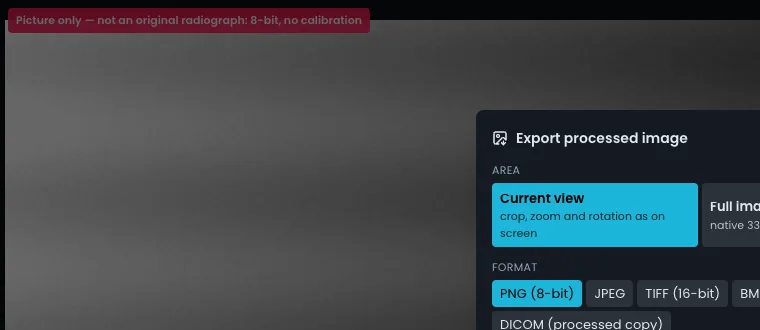
A plain JPEG, PNG, GIF or BMP is a picture of a radiograph, not the radiograph itself: it is 8-bit and carries no calibration. Clearshot accepts it so you are not turned away, but marks it clearly:
- A red Picture only badge on the thumbnail and in the viewer: "Picture only — not an original radiograph: 8-bit, no calibration".
- Sizes are in pixels, not millimetres.
- The ISO 17636-2 SNRn and duplex IQI checks show not applicable.
- AI assist is told it is a picture, and its suggestions on it are weaker evidence than on a DICONDE original.
- The flag carries through to exports, share links and the PDF report.
To measure in millimetres and check image quality, ask for the DICONDE original from the DR system.